
What image metadata is: EXIF, IPTC and XMP
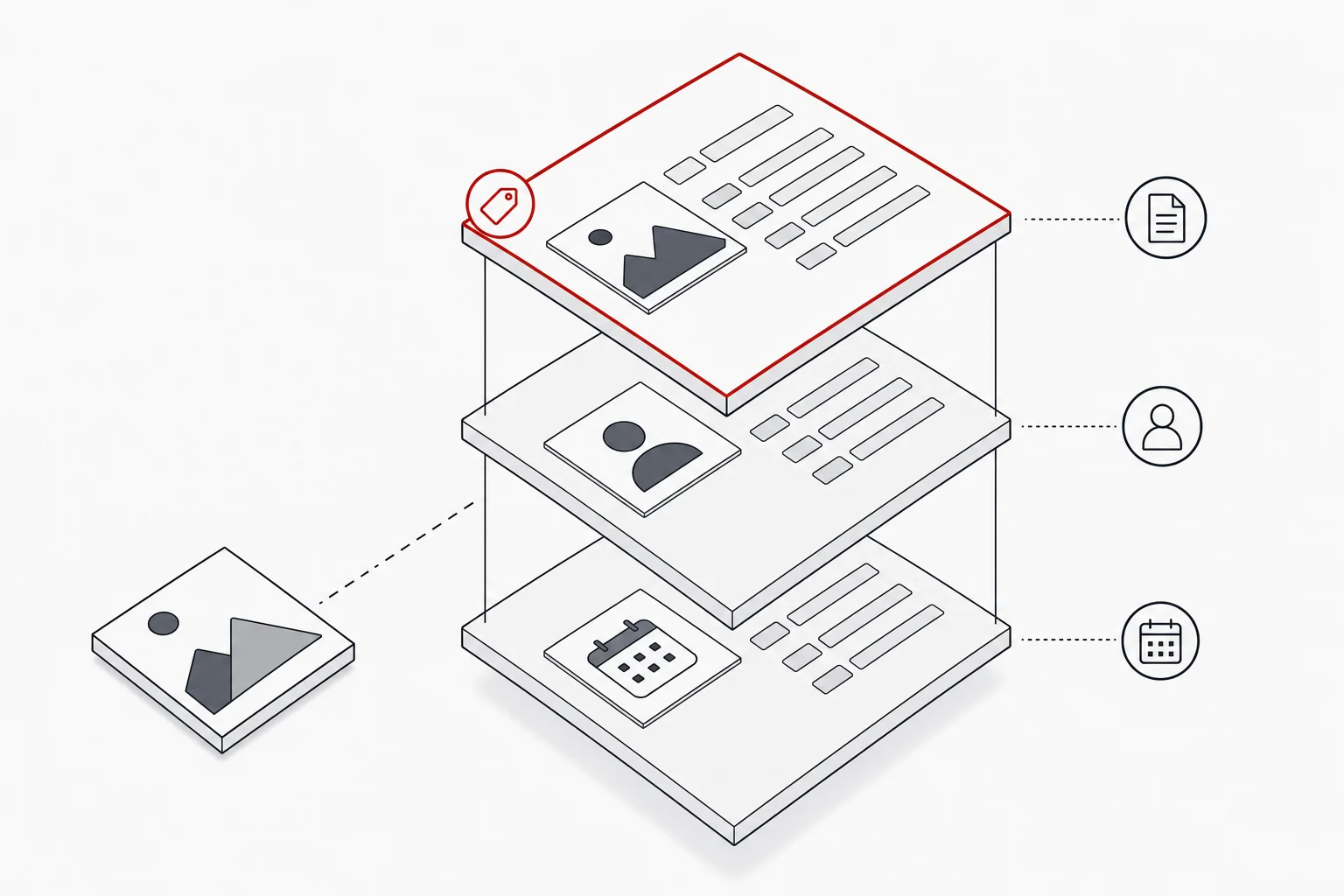
Image metadata is the structured information stored inside an image file that describes the picture and how it may be used. It is best understood as three layers. The first is EXIF, which the camera generates automatically at the moment of capture: shutter speed, aperture, ISO, lens, and the date and time taken. The second is IPTC, the descriptive layer that a person adds: the caption or description, the creator or photographer credit, the copyright notice and keywords. The third is XMP, the modern container format that most professional tools use to read and write these fields, and which can also live alongside a file as an XMP sidecar for formats that cannot hold embedded data. For press work the IPTC layer matters most, because it carries the caption and credit a picture desk relies on, while EXIF describes the camera rather than the content.
What press stills specifically need
Press stills need a defined set of descriptive fields, not just whatever the camera happened to record. The essentials are a caption or description that says who and what is in the frame; the photographer credit, written into the creator field; a copyright notice naming the rights holder; and usage or rights terms that state how the image may be used, including any embargo. These are standard IPTC metadata fields, so any professional tool or picture-desk system can read them.
Keywords are worth a mention as a useful addition rather than a requirement. They earn their keep where a set will be housed in a digital asset management library or similar system with keyword search, because a well-keyworded image can be surfaced by name, production or scene instead of hunted for. If your images are not going into a searchable library, keywording the set is effort you can spend elsewhere; the caption, credit and rights fields are what every press still needs regardless. Writing a good caption is a craft in itself, covered in our guide to captioning film stills; the point here is that the caption, credit and rights belong inside the file, in the right fields, applied consistently across the whole set rather than to a favoured few frames.
Why embedding metadata matters
Embedding metadata before release turns a set of pictures into a usable, traceable press library. There are five practical reasons it matters. Discoverability comes first: because the caption travels inside the file, a picture desk can identify the exact frame they need rather than scrolling through hundreds of look-alikes, and where the images sit in an asset library with keyword search, added keywords sharpen that further. Correct credit follows, because the photographer’s name travels attached to their work instead of being lost in a forwarded email. Legal and rights clarity comes from the copyright and usage fields, which state plainly who owns the image and how it may be used. Accessibility benefits too, since descriptive text can be read by screen readers or reused as alternative text. And brand control improves, because consistent, accurate metadata keeps a production’s images correctly identified wherever they end up. Writing and embedding metadata before release is something Image Approvals can assist with, as an add-on to the approvals workflow.
How metadata travels, and how it gets stripped
Embedded metadata travels with an image because it lives inside the file itself, not in a separate document. When IPTC fields are written into the file and held in XMP, the caption, credit and rights survive copying, renaming and moving between systems, which is exactly what happens as a still passes from photographer to publicist to press office to picture desk. A spreadsheet on its own cannot do that: the notes detach the moment someone copies the image elsewhere.
Embedding on its own has a failure mode too, though. Some platforms strip metadata on upload, often to save space or for privacy, so a caption that left your hands intact can arrive blank. And because stripping is silent, nobody notices until the carefully written caption and credit are simply gone.
So do both. Embed the metadata in the files, and keep a separate written record of it: a caption sheet or spreadsheet listing file names, captions, credits and rights alongside thumbnails. The embedded fields do the work in the normal case, travelling with each image; the written record is the backstop that lets you restore everything if a platform strips it, rather than recaptioning the set from memory. It is worth verifying that metadata has survived after a still reaches its destination, and worth understanding the container itself, which we cover in everything you need to know about XMP files. When Image Approvals writes and embeds metadata for a production, we do both as a matter of course.
Where metadata fits in delivery
Metadata belongs at the end of the workflow, embedded before the set goes out rather than bolted on later. The reliable sequence is to select the frames, write and apply the descriptive fields consistently, embed them into the files, and only then release. Doing it at the delivery stage means every image leaves correctly captioned, credited and rights-marked in one coherent pass, which is the heart of delivering approved stills. This is work our photo lab at Image Approvals can take on for a production: embedding metadata, writing captions, preserving .xmp and Capture One edits, converting RAW to JPG and running quality control, so a production’s selects arrive press-ready. It is an optional service rather than part of the approvals platform itself, and productions take it up when they would rather not carry the work in-house. If preparing a set this way would help, you can read more about our services or talk to us.