
What a contact sheet is
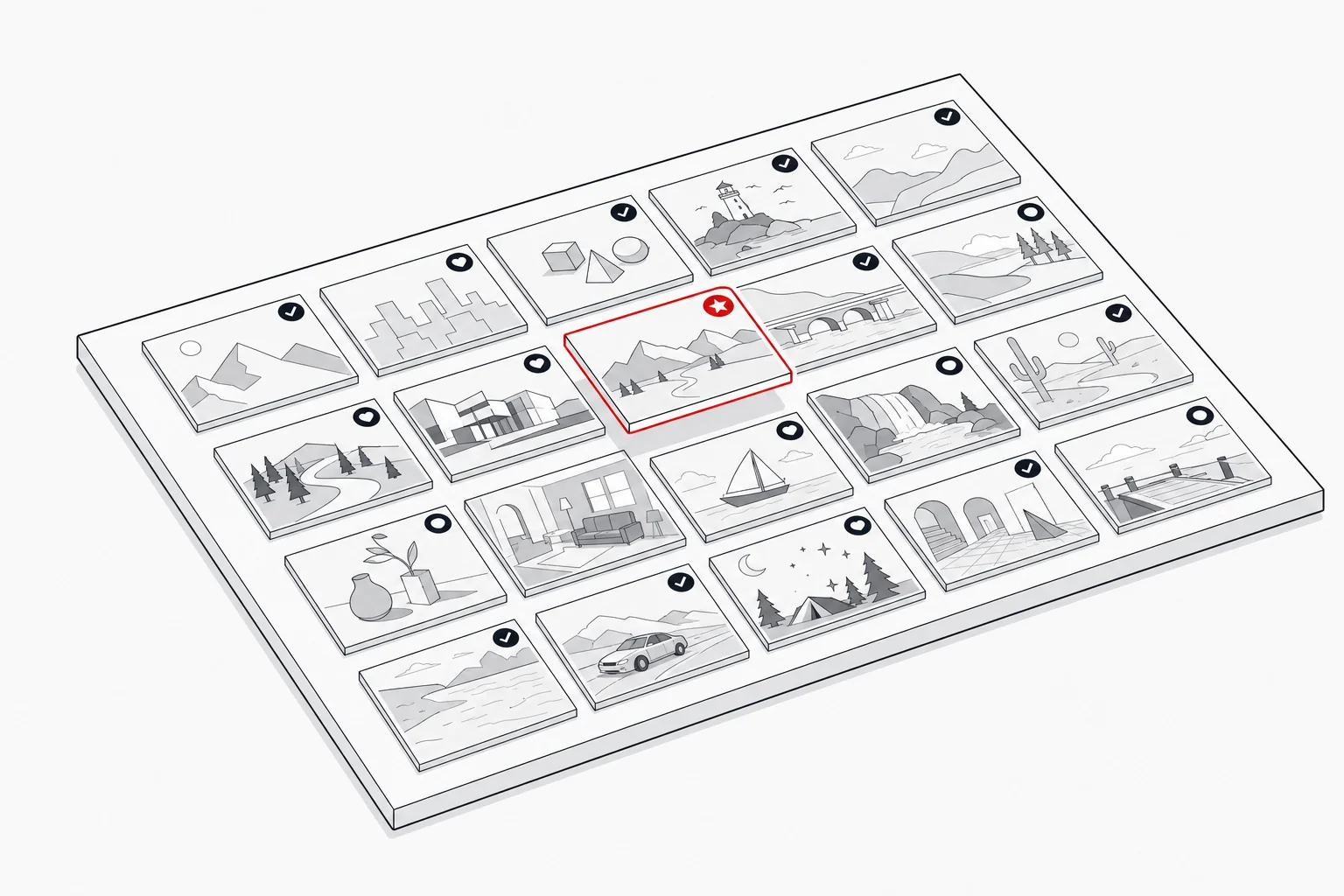
A contact sheet is an overview that shows many images together as small thumbnails alongside reference information. It lets you take in a whole shoot at a glance rather than opening files one by one, which is why it remains a staple of professional photography and, in particular, film and TV unit stills.
The term comes from analogue photography. A contact sheet was originally a print made by laying a strip or sheet of negatives directly onto photographic paper and exposing it: the negatives were in “contact” with the paper, producing a positive thumbnail of each frame at its original size. Photographers used these prints to choose which frames to enlarge. Today the term has carried over to mean the digital equivalent: a generated layout, typically a PDF, that arranges thumbnails of a set with their reference details.
What’s on a modern digital contact sheet
A modern digital contact sheet pairs each thumbnail with the information needed to identify and act on it. The thumbnail itself is small by design, enough to recognise the frame, not to scrutinise it at full resolution.
Around each image you will usually find the filename or reference number, so a frame can be traced back to the master file. Sheets built for stills approvals also show the approval status of each frame (approved, pending or killed) turning a plain index into a working reference. The whole thing is normally delivered as a PDF, which preserves the layout and opens anywhere. Consistent file naming conventions are what make those references genuinely useful, and the detail a picture desk needs travels with the image itself through captions embedded as metadata.
How contact sheets are used in the approval workflow
In a stills workflow, a contact sheet is the shareable overview that lets people see what a shoot produced. Because it presents the set as thumbnails with their references, it gives a snapshot of the whole shoot at a glance, which suits stakeholders who need to see what was captured but do not need full asset access: a publicist, an agent or a production executive can scan the set without you handing over the originals.
Our advice, though, is to treat the contact sheet as a record or summary rather than the place where decisions get made. Selects, kills and approvals should happen on the Image Approvals platform itself, because that is what keeps a single consolidated audit log of who did what and when: every decision attributed to the person who made it, in one trail, rather than scattered across marked-up PDFs, emails and separate copies of the same sheet. The contact sheet then does what it is genuinely good at: a clean summary generated from the outcome of that process, showing the approved set and travelling with delivery as a record of exactly what was signed off and sent. For the wider picture, see how talent image approvals work and the final key selects that come out of it.
Contact sheet vs an approval platform
A contact sheet is a static snapshot, whereas an approvals platform is the interactive space where review and kills actually happen. The distinction matters: you cannot click into a PDF thumbnail to inspect a frame at full size, leave a comment or change a status. A contact sheet shows the state of things at the moment it was generated.
The two are complementary rather than competing. An approvals platform is where reviewers open images, compare frames and record approvals and kills against a full audit trail; the contact sheet is the portable summary you produce from that activity to share or archive. The Image Approvals platform reflects this directly: alongside detailed approval-status reports, it generates contact sheets as downloadable PDFs, so the live review stays on our platform while the shareable overview goes out as a file. That keeps stakeholders informed without giving everyone access to the assets themselves.
Contact sheet best practice
The most reliable rule is to generate the delivery contact sheet from the approved set, so it shows only signed-off frames and matches exactly what is being handed over. A sheet that includes killed or unreviewed images invites confusion at the worst possible moment.
Beyond that, keep filenames on the sheet so every thumbnail can be identified and traced back to its master file, and a thumbnail with no reference is hard to act on. Order images logically, by scene, sequence or shoot order, so reviewers can follow the set without hunting. And treat the sheet as part of the record: kept with the delivery, it documents what was approved. To see contact sheets produced as part of a full approval trail, book a demo or get in touch, and read more on delivering approved stills.