For film & TV productions

The talent approvals app, on every device.

Image Approvals is a talent approvals app for web, on desktop and mobile, that streamlines managing photo kill rights for film and TV. Track and cap kill rates, run the approvals process, and export PDF contact sheets, with no drives to mail.

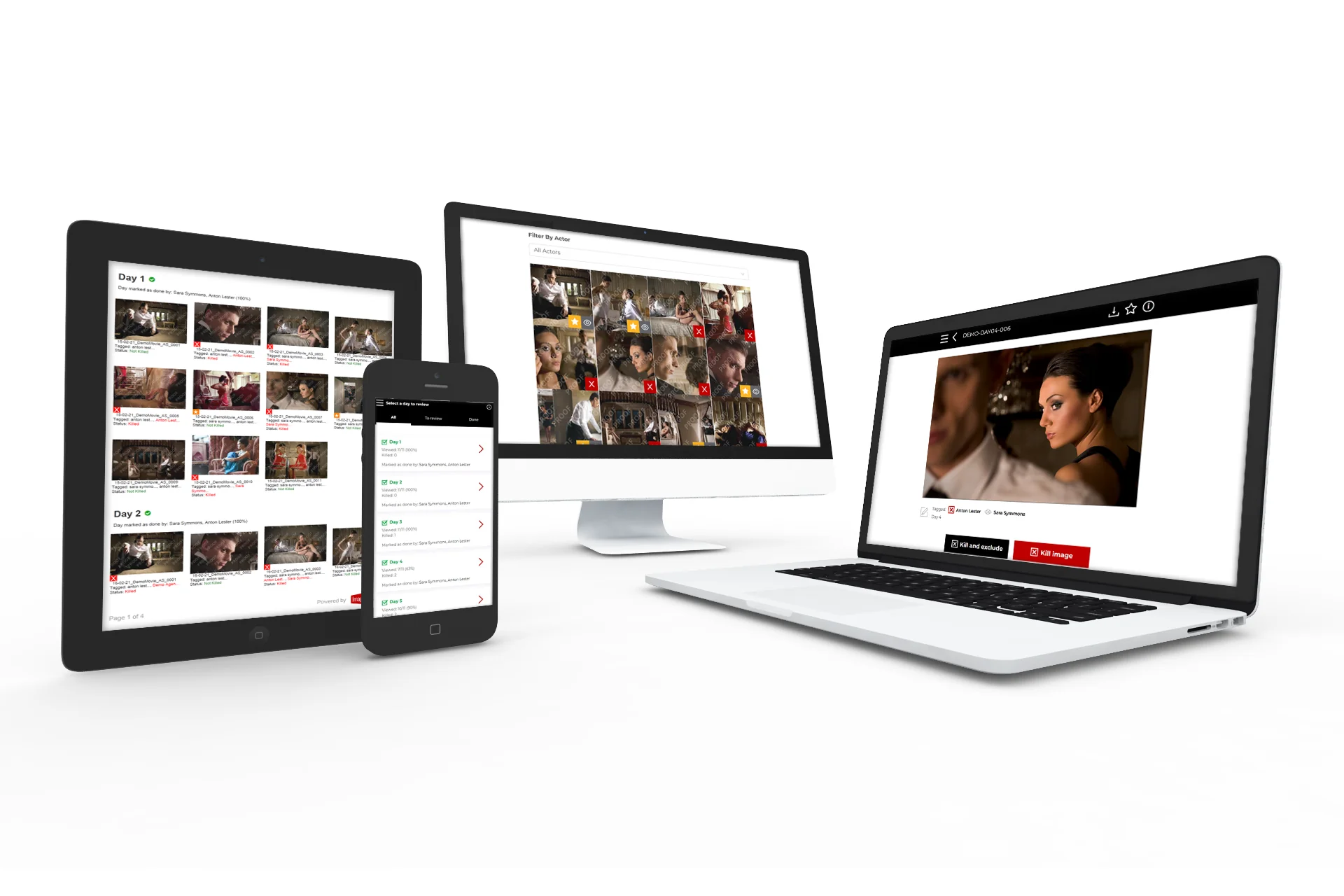
The Image Approvals talent approvals app open on a desktop monitor, laptop, tablet and phone at once, each showing stills ready to review

An approvals app built for the way productions actually work

Web-based so it runs on the widest range of devices, with a clean interface cast and stakeholders can pick up without training.

Web app for desktop & mobile

Built as an app for web rather than the app stores, so it works across the widest range of devices and operating systems, with nothing to install.

An account per cast member

Each actor gets their own account and only ever sees the images they appear in. Because access is account-based rather than insecure open links, only the people who should see those photos can, and kills can be handled by the actor or their reps. We need none of their personal data to set the account up.

One-click kills, solo & group

A one-click-kill flow speeds review and cuts the number of touches; kill an image by mistake and you can navigate back and un-kill it.

Export PDF contact sheets

Authorised accounts export contact sheets and kill reports (every frame, just the killed shots, or only the approved images) as a print-ready PDF or spreadsheet.

Live from day one

New images appear the moment each shoot day goes online, with no need to resend share links or contact sheets each time.

A clear audit trail

Contact sheets record who killed each image and who's marked a day as done, so nothing is shared before approvals are complete.

A clean, easy-to-use interface

The app is clean, desktop and mobile optimised, and easy to use. Each cast member gets their own account to browse photographs by production day and keep track of which images they've viewed, are yet to view, and have killed, with new uploads appearing immediately, so there's no need to repeatedly send fresh share links or contact sheets.

Actors can browse by thumbnail or one image at a time. The one-click-kill process reduces the clicks (or touches) needed to get through a day, and if a photograph is killed by accident they can navigate back and un-kill it. When they've finished reviewing a day, they mark it done so you can keep the process on track.
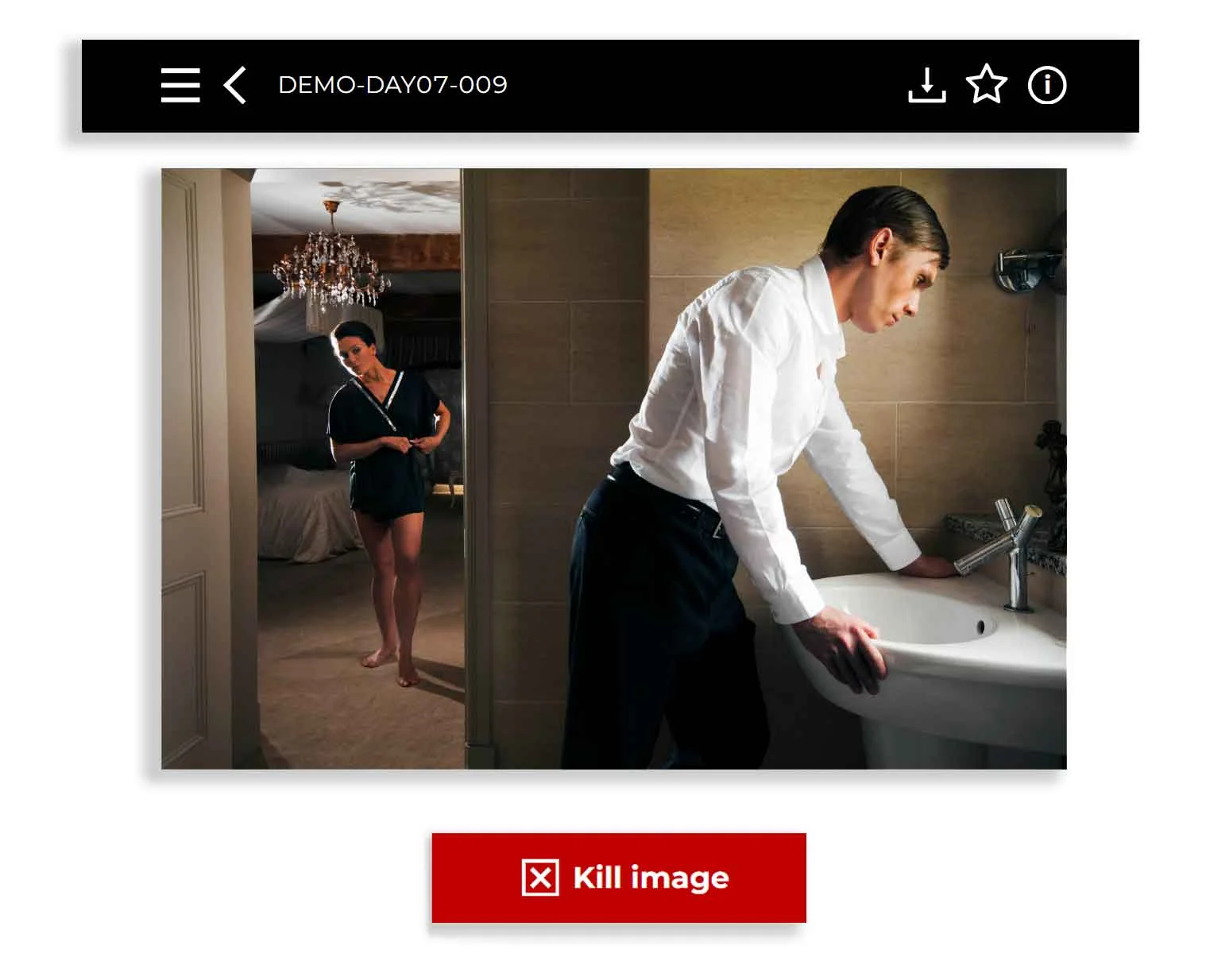
The app's single-image review on mobile, showing one still with a red Kill image button and quick download, key-select and info controls

Keep track of kill counts, solo and group

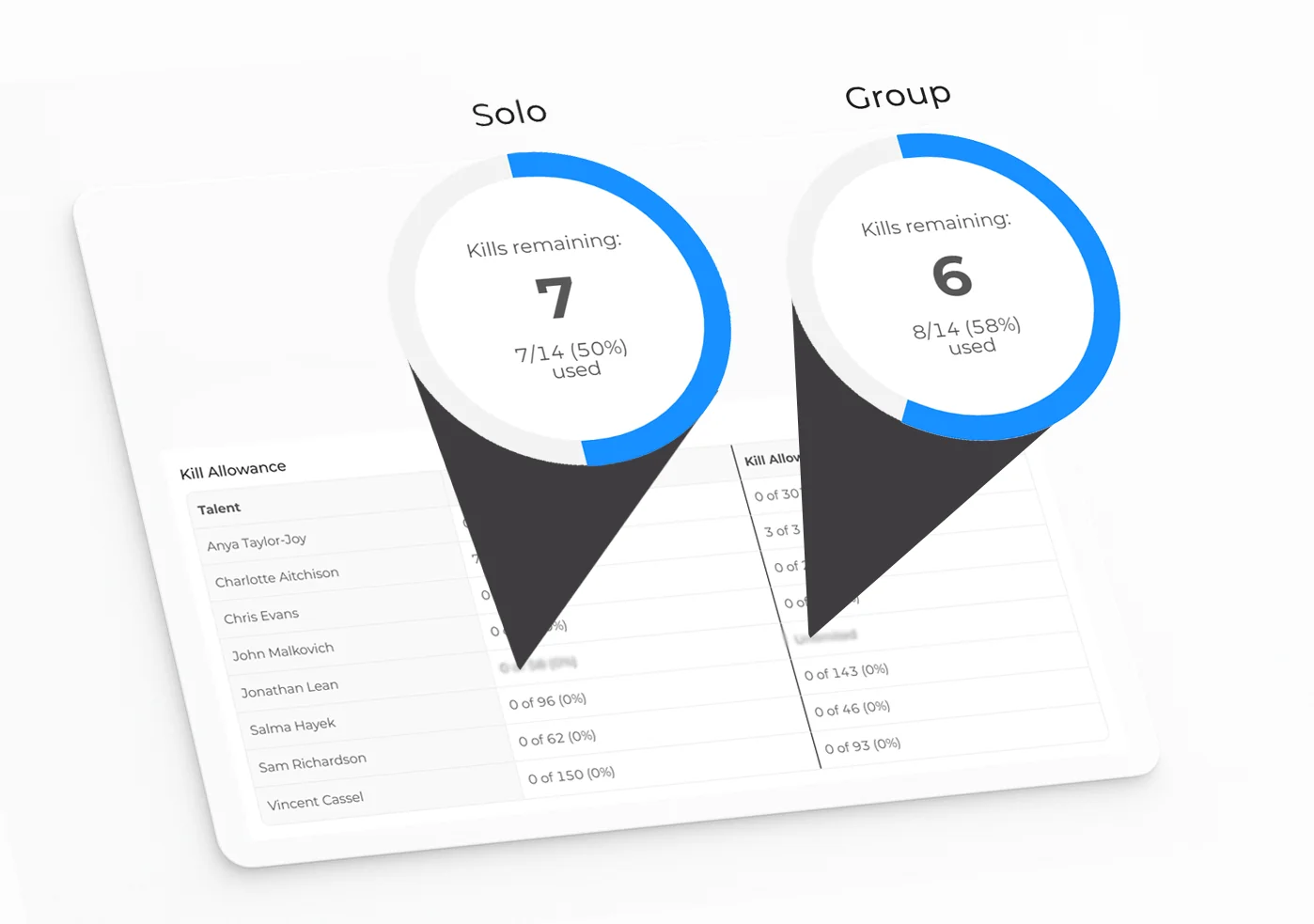
We keep track of image kill counts so you don't have to. Actors see a simple breakdown of how many images they appear in, how many they're allowed to kill, and what percentage of that allowance they've used.

Publicists and producers overseeing the process get an oversight view across the whole cast. They can see exactly how many images each actor appears in, the split between solo and group shots, and how far through their kill allowance each actor is, so they always know how many approved images remain of each person and image type, and can plan publicity without chasing anyone for a status update.

Kill-allowance gauges for solo and group shots with kills remaining and percentage used, above a per-cast-member allowance table

Export PDF contact sheets

Authorised accounts get a downloads area for exporting summary contact sheets and kill reports: pick every frame, only the killed shots, or only the approved images, then pull them as a print-ready PDF or a spreadsheet.

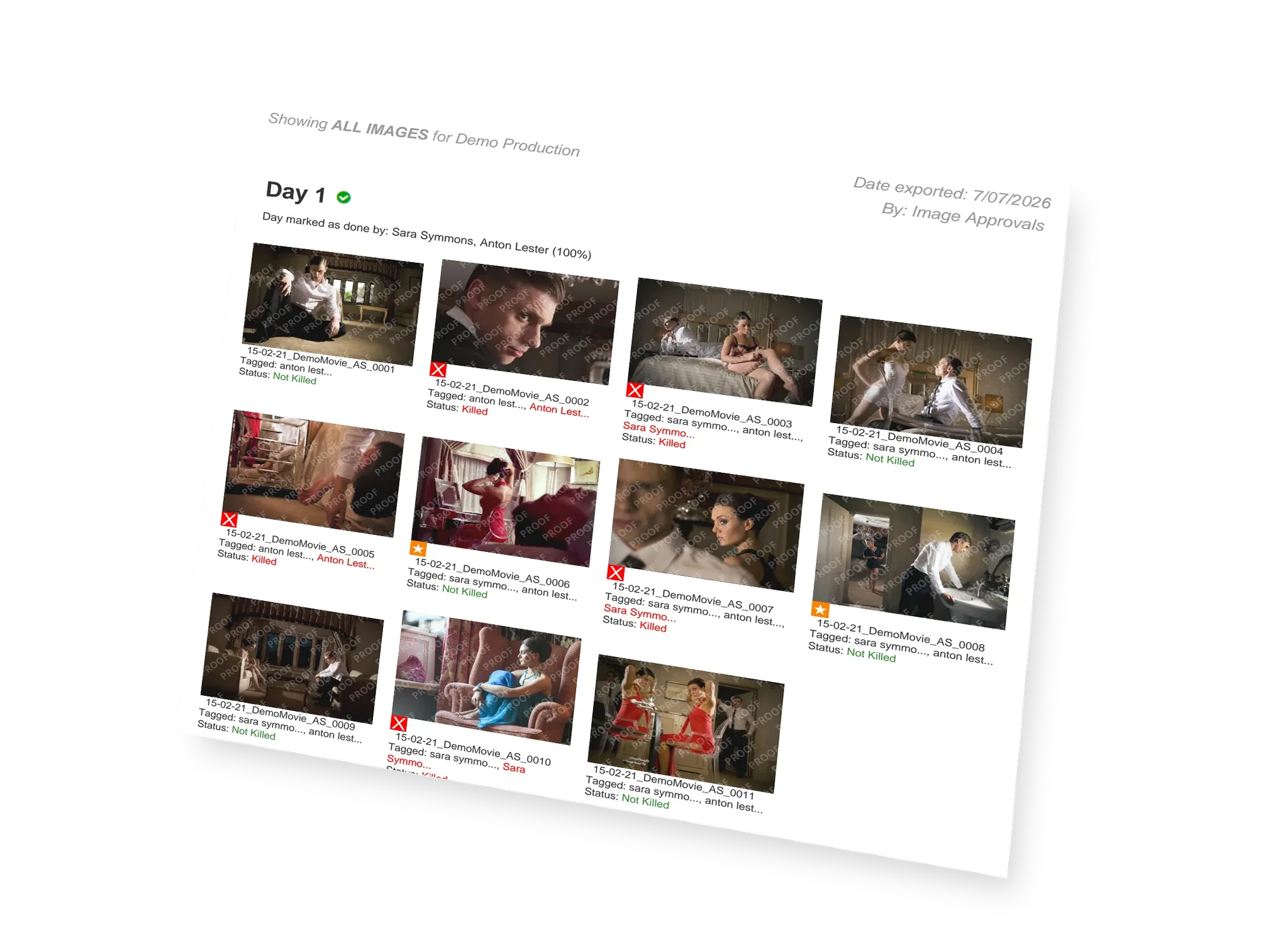
Each sheet logs which actor killed which image and who has signed off each day as complete. That running record gives your publicity and legal teams a dependable paper trail, and stops any still being shared before the cast have finished clearing the days they appear in.

A printed PDF contact sheet of a shoot day, its images laid out as thumbnails each tagged with a filename and killed or not-killed status

Start the kills process on day one of shooting

Social media and PR often demand assets on a tight turnaround, especially across episodic runs, and cast approvals shouldn't be the thing that holds a release up. The app is built to keep clearances running alongside the shoot rather than after it.

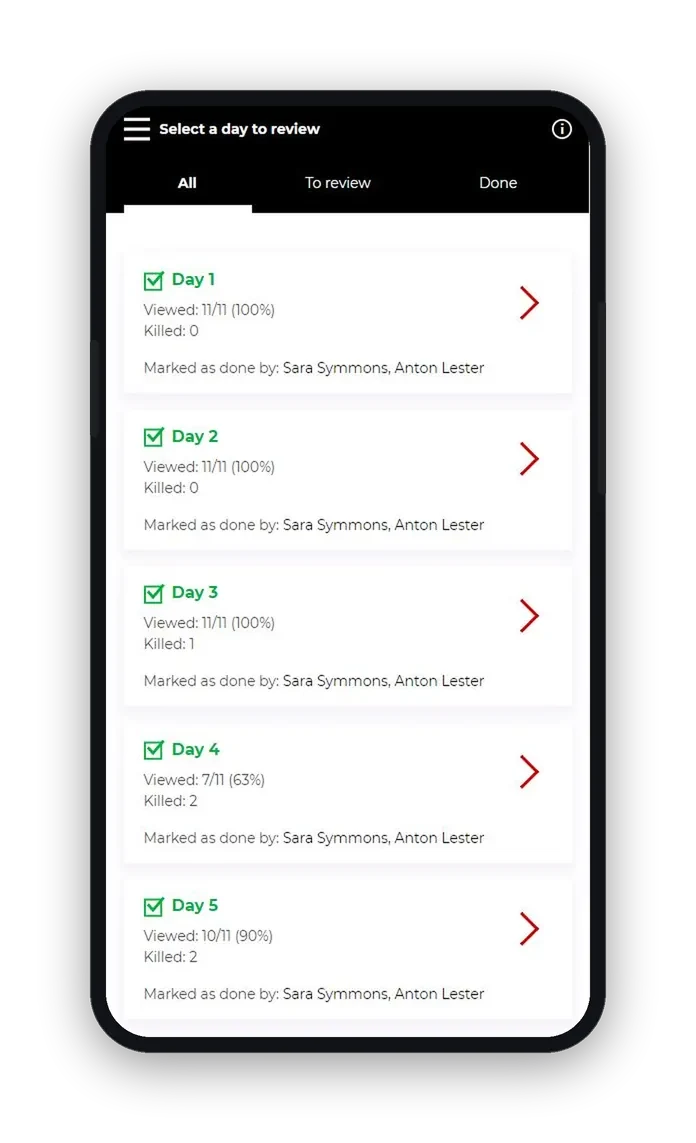
Rather than waiting for wrap, our technical team takes each day's stills straight from your photographer and gets them online for talent to view and kill from the first day of production. Once every actor has marked the days they appear in as done, you know the remaining images are approved and safe to use.

The app on a phone listing each shoot day with images viewed, kills logged and who has marked the day as done

Talent approvals app FAQs

Is the talent approvals app for desktop or mobile? +
Both. We built Image Approvals as an app for web rather than as a mobile app via the app stores, so you can access the platform on the widest possible range of devices and operating systems. The interface is optimised for desktop and mobile, which makes it much easier to manage the approvals process across a wide range of stakeholders.
Do cast members each get their own login? +
Yes. Each cast member is allocated their own unique account, letting them browse photographs by production day and keep track of which images they've viewed, are yet to view, and have killed. New images uploaded to the platform appear immediately, so there's no need to repeatedly send new share links or contact sheets.
How does the app track kill counts? +
The app keeps track of image kill counts for you. Actors see a simple breakdown of how many images they appear in, how many they're allowed to kill, and what percentage of their allowance they've used. Publicists and producers get an oversight view spanning the whole cast, so they can follow each actor's allowance and progress.
Can I export contact sheets from the app? +
Yes. Authorised accounts can export summary contact sheets and kill reports (every frame, just the killed shots, or only the approved images) as a print-ready PDF or a spreadsheet. Each sheet records which actor killed which image and who has signed off each day as complete, giving publicity and legal teams a dependable paper trail before anything is shared.
Can photographers upload images directly? +
Photographers don't need their own upload accounts. They hand their stills to our technical team, who take care of the photo lab work (RAW processing, conversion, captioning and quality control) and get the images online for cast to view and kill from the first day of production, so nobody is left waiting on drives in the post.

Looking for the full picture? See how our talent approvals service works, or explore our stills approvals platform. →

See the talent approvals app on your production.

Give photographers, cast and stakeholders one place to run kills from day one. Get a quote and we'll set it up around your shoot.

Get a quote

Loading the form…

Loading the form…

Loading the form…